
Google Business Profile Not Ranking? 15 Reasons Your Business Isn’t Showing on Google Maps
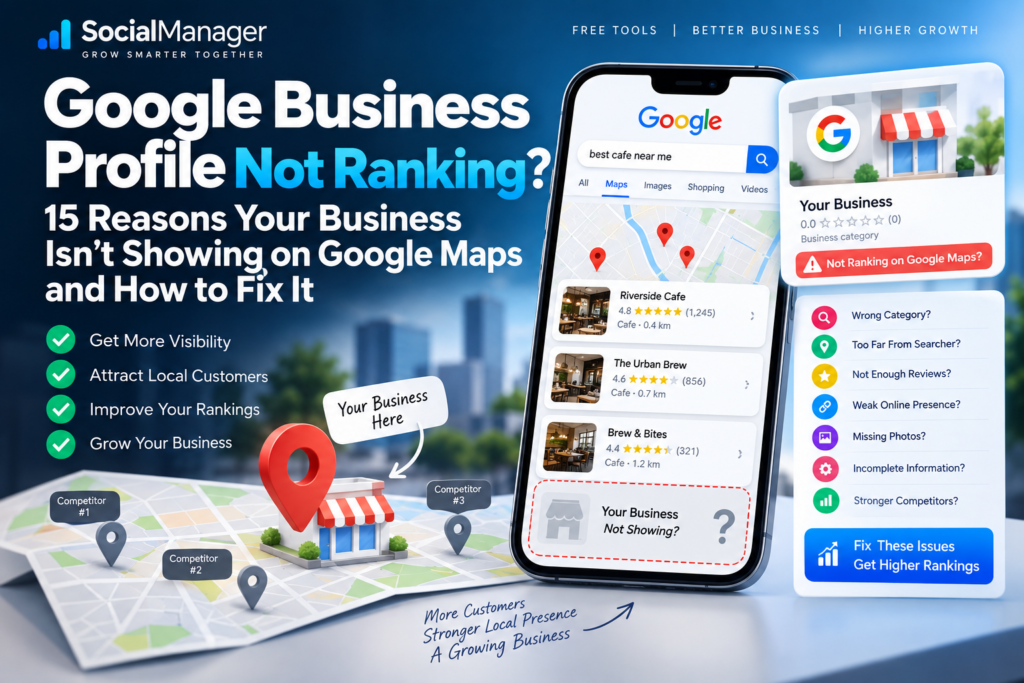
You’ve verified your Google Business Profile.
You’ve added your business hours, services, photos, website and phone number. You’ve even collected customer reviews.
Then you search for your main service on Google Maps.
Your competitors appear.
Your business doesn’t.
If you’re dealing with a Google Business Profile not ranking, the first thing to understand is that verification and ranking are two completely different things.
A verified profile tells Google that the business has completed its verification process. It does not guarantee that the business will appear at the top of Google Maps for every relevant search.
In fact, Google says local results are mainly determined by three factors:
Relevance. Distance. Prominence.
That explains why a business with fewer reviews can sometimes appear above one with hundreds, why your profile might rank from one neighborhood but disappear from another, and why simply adding more service areas doesn’t automatically make you visible everywhere.
So if your Google Business Profile is not ranking, don’t start randomly changing your business name, categories, address and description.
First identify what’s actually wrong.
This guide covers 15 common reasons your Google Business Profile is not ranking and, more importantly, what you can realistically do about each one.
Is Your Google Business Profile Not Ranking or Not Showing at All?
Before trying to improve your Google Business Profile ranking, determine which problem you actually have.
These situations are very different.
Situation 1: Your profile cannot be found even by business name
Search your exact business name on Google and Google Maps.
If the profile doesn’t appear at all, investigate whether it is:
- verified
- suspended or restricted
- still being processed
- affected by a recent major change
- eligible to appear on Google
This is primarily a profile visibility or eligibility problem rather than a normal ranking problem.
Situation 2: Your profile appears by name but not by service
Suppose your company is called ABC Interiors.
Searching:
ABC Interiors
shows your profile.
But searching:
interior designer near me
doesn’t.
That’s much more likely to be a Google Business Profile ranking problem.
Your profile exists, but Google is choosing other businesses for that particular search.
Situation 3: Your profile appears near your location but disappears farther away
This can be completely normal.
Distance is one of Google’s core local ranking factors. Search results can therefore change depending on where the person searching is located.
Understanding which of these three situations applies to you can save hours of unnecessary optimization.
Why Is My Google Business Profile Not Ranking?
There isn’t one universal reason.
Two businesses can experience exactly the same symptom for completely different reasons.
One may have selected an inaccurate primary category.
Another may simply be too far from the searcher.
Another may have weak online prominence compared with established competitors.
And another may actually have a profile-level problem rather than an SEO problem.
Here are the major possibilities.
1. Your Google Business Profile Isn’t Properly Verified
Start with the simplest check.
Is the Business Profile actually verified and accessible normally from the owner account?
Google recommends verifying a business as part of improving its ability to appear in local results.
If verification is still pending or Google requires another action, deal with that first.
Don’t spend hours changing keywords while a fundamental profile issue remains unresolved.
Once verified, search for your exact business name.
If you can find the correct profile by name, that’s an important signal that the profile exists publicly.
If you can find it by name but not for competitive searches, move on to the ranking factors below.
2. Your Primary Business Category May Be Wrong
This is one of the first areas I’d inspect when a Google Business Profile is not ranking for relevant searches.
Your primary category tells Google what kind of business you operate.
Imagine you primarily install and sell wallpaper, but your selected category represents a much broader or different business.
Now someone searches for a wallpaper-related business.
Google needs to determine which profiles best match that search.
An inaccurate category can weaken that match.
Choose the category that most accurately represents the core business.
Don’t select a category simply because you think it has more search volume.
And don’t treat categories as a place to list every service you offer.
Your business can have additional categories where genuinely appropriate, but the primary category deserves particular attention.
3. Your Business Information Is Incomplete or Inaccurate
If your Google Business Profile is not ranking, inspect the basics before looking for advanced SEO tricks.
Google explicitly recommends keeping Business Profile information accurate and complete. It says complete and accurate information makes businesses more likely to appear for relevant local searches.
Review information such as:
- business name
- category
- address where applicable
- service area where applicable
- phone number
- business hours
- website
- attributes
- services
Accuracy matters more than filling fields with keywords.
Your Business Profile should describe the real business.
4. You’re Too Far From the Searcher
This is one of the most misunderstood reasons for a Google Business Profile not ranking.
Google calls this factor distance.
Distance considers how far a potential local result is from the location associated with the search. If the searcher doesn’t explicitly specify a location, Google can use information it has about their location.
Suppose your business is in one part of Bengaluru and someone searches for your service from the other side of the city.
You may have:
- more reviews
- a better website
- more photos
- a complete profile
and still lose visibility to a closer relevant competitor.
That’s because local SEO isn’t purely a competition for the “best optimized” profile.
Location matters.
This also means checking your rank once from your own phone isn’t enough to understand your visibility across an entire city.
5. Adding Service Areas Doesn’t Mean You’ll Rank Everywhere
This deserves its own section because business owners frequently misunderstand it.
Imagine you serve:
Bengaluru, Whitefield, HSR Layout, Electronic City, Yelahanka and several other areas.
You add those places as service areas.
It’s tempting to think:
“Google now knows I serve these areas, so my business should rank in all of them.”
That’s not how local ranking should be interpreted.
Google still considers distance along with relevance and prominence.
A service area tells customers where you operate. It isn’t a switch that grants top Maps visibility across every selected location.
So when your Google Business Profile is not ranking in a service area, don’t immediately assume the profile is broken.
First consider proximity and competition.
6. Your Profile Doesn’t Match the Searcher’s Intent Well Enough
Google calls this relevance.
Relevance describes how closely a Business Profile matches what someone is searching for. Google recommends providing complete and detailed business information to help it understand the business and match it with relevant searches.
Consider two searches:
wallpaper store near me
and
false ceiling contractor near me
The same interior business might offer both services, but Google’s confidence in matching that business to each query may differ.
Your category, services, business information, website and wider online presence should consistently communicate what the business actually does.
Don’t try to make one profile appear relevant to dozens of unrelated services.
Strong relevance begins with clarity.
7. Your Competitors Have Stronger Prominence
This is where Google Business Profile ranking becomes more competitive.
Google’s third major factor is prominence.
Prominence broadly reflects how well-known a business is. Google says this can incorporate information about the business from across the web, including links and reviews. Google also says review count and review scores can factor into local search ranking.
Imagine two businesses are equally relevant and similarly located.
One has:
- an established website
- genuine customer reviews
- references from other websites
- strong brand recognition
- consistent business information across the web
The other has almost no web presence outside its Business Profile.
The first business may have a stronger prominence advantage.
This is why optimizing Google Business Profile alone isn’t always enough.
Local SEO extends beyond the profile.
8. You Have Too Few Genuine Customer Reviews
Reviews aren’t the entire local algorithm, but they matter.
Google states that more reviews and positive ratings can help a business’s local ranking.
If your Google Business Profile is not ranking and competitors have substantially stronger genuine review profiles, reviews are worth examining.
But don’t turn this into:
“I need 500 reviews because my competitor has 400.”
Focus on legitimate customer feedback.
Create a simple process:
Complete the work.
Ask the real customer for an honest review.
Make it easy for them to reach the review page.
Respond professionally when they review.
Never manufacture reviews or create a system designed to manipulate ratings.
A smaller collection of genuine reviews is more valuable to your business than fake social proof that creates policy risk.
9. You’re Ignoring Review Responses
Google specifically encourages businesses to respond to reviews and notes that helpful responses show customers that the business values their feedback.
Responses also matter from a customer perspective.
Someone comparing three businesses may look at how each owner responds when things go wrong.
Don’t reply with the same robotic sentence every time.
Instead of:
“Thanks for your valuable feedback.”
respond to what the customer actually said.
If they mention wallpaper installation, acknowledge the project.
If they mention delivery, respond to that.
If they complain, address the concern professionally.
Write for customers first.
10. Your Website Is Weak or Doesn’t Support Your Local Relevance
Your Google Business Profile doesn’t exist in isolation.
Google’s official local-ranking documentation notes that your position in web results is a factor and that SEO best practices apply.
Suppose your profile says you provide:
customized wallpaper in Bengaluru
but your website barely mentions customized wallpaper and contains no useful page explaining the service.
That’s a missed opportunity.
Your important services should have genuinely useful website content where appropriate.
A strong service page can explain:
- what the service is
- who it’s for
- options available
- how your process works
- service location
- genuine project examples
- frequently asked questions
- how to contact the business
Don’t create hundreds of near-identical city pages just by replacing the location name.
Build pages that are actually useful.
11. Your Business Information Is Inconsistent Across the Web
Your business details shouldn’t tell different stories on different websites.
For example:
Your website shows one phone number.
A major directory shows an old number.
Another profile has an old address.
A social profile uses a previous business name.
This creates unnecessary inconsistency for both customers and systems trying to understand the business.
Audit important places where your business appears online.
Correct outdated information where you control it.
The goal isn’t to submit your business to every directory on the internet.
The goal is to make important, legitimate references accurate.
12. Your Business Has Weak Local Authority
If your Google Business Profile is not ranking against established competitors, look beyond the profile itself.
Ask:
Does anyone locally know or mention this business?
Are there legitimate websites linking to it?
Has the business been covered by relevant local organizations, suppliers, associations, publications or community websites?
Prominence isn’t something you create by adding the same keyword to your profile 30 times.
It develops as your business becomes more established and better represented both online and offline.
That takes time.
13. You’re Expecting Photos and Posts to Fix Everything
Photos are valuable.
Google encourages businesses to add photos and videos because they help show customers what the business offers.
For many businesses, real images of:
- storefront
- team
- completed projects
- products
- workspace
- before-and-after work
can make a profile far more useful.
But don’t fall into the trap of thinking:
“If I upload one photo every day, Google has to rank me #1.”
Google doesn’t make that promise.
The same caution applies to posts.
Use photos and updates because they make the profile current, useful and convincing—not because someone sold you a secret posting formula.
14. You’re Measuring Your Google Maps Ranking Incorrectly
This is a surprisingly common problem.
You search from your own phone and see yourself at position #2.
Your customer searches from somewhere else and can’t find you.
Another person searches from a different neighborhood and sees you at #9.
Which ranking is correct?
Potentially all of them.
Local search is location-sensitive, and distance is explicitly part of Google’s local ranking system.
Results may also depend on the query and context.
So avoid making major business decisions based on one manual search.
When evaluating a Google Business Profile not ranking, ask:
For which keyword?
From which location?
On which device/search context?
Compared with which competitors?
At what time?
Without context, “I rank #4” isn’t particularly meaningful.
15. You’re Trying to Find a Secret Google Maps Ranking Trick
This may be the most important point in this guide.
There is no legitimate button that makes Google rank your business #1.
Google explicitly says there is no way to request or pay Google for a better local ranking. It also keeps the exact algorithm details confidential.
Be skeptical when someone promises:
Guaranteed #1 Google Maps ranking
or
Top 3 in seven days
or
Secret Google Business Profile hack
Local search is competitive.
Your goal should be to strengthen the signals you can legitimately influence while recognizing the factors you can’t control completely—particularly the searcher’s distance.
Google Business Profile Not Ranking Despite Having More Reviews?
This deserves special attention.
Imagine:
Your business: 250 reviews, 4.8 stars
Competitor: 70 reviews, 4.7 stars
Yet the competitor appears above you.
Does that mean reviews don’t matter?
No.
It means reviews aren’t the only factor.
Google says local results primarily consider the combination of relevance, distance and prominence. Reviews contribute to the picture, but Google does not describe ranking as simply “whoever has the most reviews wins.”
The competitor could be:
closer to the searcher,
more relevant to the specific query,
better established for that category,
or stronger across other prominence signals.
So don’t evaluate local SEO using review count alone.
Google Business Profile Verified but Not Showing on Google Maps
A recently verified business can create another kind of confusion.
Recent Google Business Profile Community discussions show business owners asking why verified profiles still don’t appear for general searches. One useful diagnostic is to search the exact business name: if the correct profile appears by name, the profile may be live even though it hasn’t gained visibility for broader category searches.
There’s another distinction worth understanding.
Not every business gets a permanently visible label when someone simply browses Google Maps without searching. A recent Google Business Profile Community explanation notes that most businesses don’t receive such a “Place Label”; being searchable by your business name is a different matter.
So:
Verified ≠ top ranked
and
No permanent map label ≠ profile is necessarily broken
Diagnose the correct problem before changing anything.
How to Improve Google Business Profile Ranking
If you’ve identified that this is genuinely a ranking problem rather than a suspension, verification or eligibility problem, work systematically.
Step 1: Verify the basics
Confirm that the profile is live, verified and represents the real business accurately.
Step 2: Review your primary category
Make sure it represents the main business.
Step 3: Complete your business information
Keep hours, contact details, services and other applicable information accurate.
Step 4: Review relevance
Ask whether your profile and website clearly explain what you actually offer.
Step 5: Improve your website
Create genuinely useful pages for important products and services rather than thin keyword pages.
Step 6: Build a legitimate review process
Ask real customers for honest feedback.
Step 7: Respond to reviews
Write useful, individual responses.
Step 8: Add authentic photos and videos
Show the actual business, products, team or completed work.
Step 9: Correct important business information elsewhere
Fix outdated or inaccurate references where appropriate.
Step 10: Build real prominence
Earn legitimate mentions, links, customer recognition and local authority.
Step 11: Measure from multiple locations
Don’t judge local visibility from a single search performed next to your business.
Step 12: Give improvements time
SEO isn’t an instant switch.
Make deliberate changes, measure them and avoid repeatedly rewriting the profile because rankings haven’t changed overnight.
What You Should NOT Do When Your Google Business Profile Is Not Ranking
Frustration makes people take unnecessary risks.
Avoid:
- stuffing keywords into the business name
- creating fake reviews
- buying review packages
- creating fake locations
- making unnecessary address changes
- constantly changing primary categories
- creating duplicate profiles to occupy more Maps positions
- copying competitors’ descriptions
- adding services the business doesn’t actually provide
- believing guaranteed ranking promises
Your profile should accurately represent the real-world business.
Short-term manipulation isn’t a sensible foundation for long-term local visibility.
A Practical Google Business Profile Ranking Checklist
When a Google Business Profile is not ranking, work through this checklist:
Profile status: Is it verified and live?
Business name search: Can you find it by exact name?
Primary category: Is it accurate?
Business information: Is it complete and current?
Location: How far is the searcher from the business?
Service areas: Are you incorrectly treating them as ranking locations?
Relevance: Does the business genuinely match the search?
Reviews: Are you consistently earning genuine customer feedback?
Review responses: Are customers receiving useful responses?
Photos: Does the profile show the real business and work?
Website: Does it support the products/services you’re trying to rank for?
Local presence: Is the business represented accurately elsewhere?
Prominence: How established is the business compared with competitors?
Competition: Are stronger or closer businesses competing for the same search?
Measurement: Are you checking visibility from more than one location?
This checklist is much more useful than randomly changing profile settings.
Frequently Asked Questions
Why Is My Google Business Profile Not Ranking?
A Google Business Profile not ranking can result from weak relevance, the searcher’s distance, stronger competitor prominence, incomplete business information or a separate profile issue. Google says local results are primarily based on relevance, distance and prominence.
Why Is My Google Business Profile Not Showing on Google Maps?
First search for the exact business name. If the profile appears by name but not for generic searches such as “plumber near me,” you may be dealing with local ranking rather than complete profile invisibility.
If the profile can’t be found even by its exact name, investigate verification, eligibility, restrictions and other profile-level issues.
Does Verification Improve Google Business Profile Ranking?
Verification is important, but verification doesn’t guarantee top rankings. Google recommends verifying the business, while local results themselves are still determined primarily through relevance, distance and prominence.
Do More Reviews Improve Google Maps Ranking?
Reviews can matter. Google states that review count and review scores factor into local search ranking and that more reviews and positive ratings can help local ranking. But reviews are not the only factor.
Why Does a Competitor With Fewer Reviews Rank Above Me?
Because Google Maps ranking isn’t ordered purely by review count. Distance, relevance, prominence and other signals can produce a different order.
Does Adding More Service Areas Improve Google Maps Ranking?
Adding service areas should accurately communicate where your business serves customers. It shouldn’t be treated as a guarantee that your profile will rank across every selected area because distance remains a core local ranking factor.
Can I Pay Google to Rank My Business Higher on Google Maps?
Not for organic local ranking. Google explicitly states that there’s no way to request or pay for a better local ranking.
How Long Does It Take to Improve Google Business Profile Ranking?
There is no universal guaranteed timeframe. It depends on the problem, competition, location, profile history and changes being made. Avoid anyone promising a guaranteed #1 position within a fixed number of days.
Final Thoughts: Fix the Reason, Not Just the Ranking
When you see a Google Business Profile not ranking, don’t immediately assume Google is broken.
And don’t immediately assume you need more keywords.
Start by diagnosing the situation.
Is the profile actually visible?
Is it verified?
Does it appear when you search the exact business name?
Is the category accurate?
Does the profile match the search?
How far away is the customer?
How strong are the competing businesses?
Does your website support your local relevance?
Are you building genuine reviews and real-world prominence?
Google’s own guidance gives us the most useful framework: relevance, distance and prominence.
You can improve relevance.
You can work on prominence.
You can make your profile more accurate and useful.
You can improve your website.
You can earn genuine customer reviews.
But you cannot move your physical business closer to every person searching across an entire city.
Understanding that distinction prevents wasted time and risky SEO decisions.
If your Google Business Profile is not ranking, don’t search for a magic trick.
Find the weakest real signal, improve it, measure the result, and then move to the next problem.
That’s a much stronger local SEO strategy than chasing shortcuts.