
Google Business Profile Not Showing in Nearby Areas? 12 Reasons & Fixes
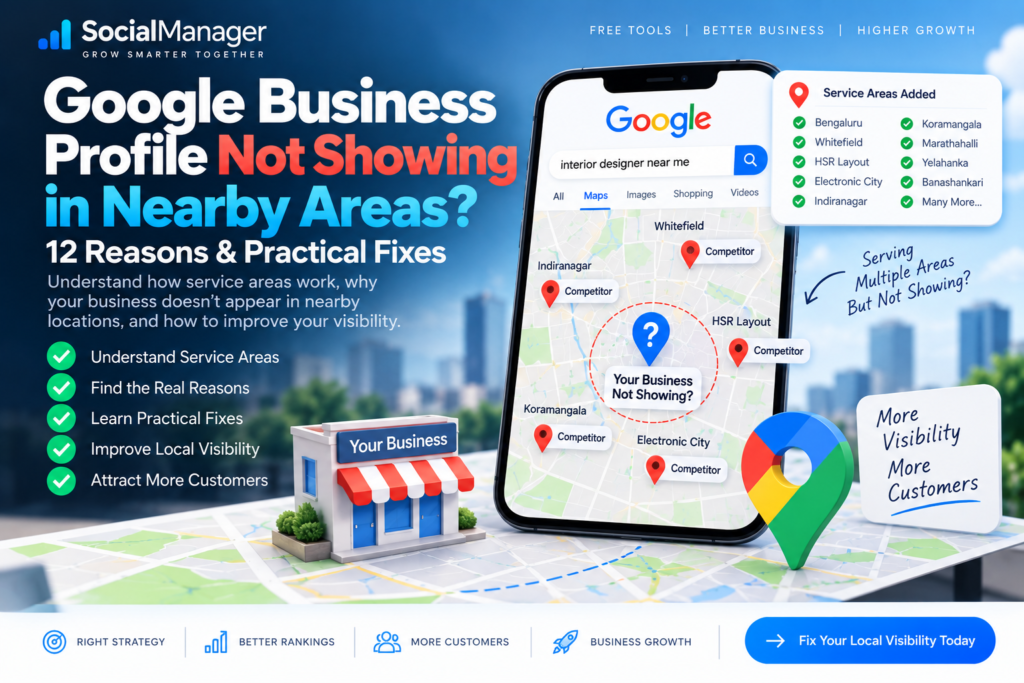
Your business serves the entire city.
You’ve added multiple service areas to your Google Business Profile.
Customers regularly call you from those locations.
But when you travel a few kilometres away from your business and search for your main service, your listing disappears.
Meanwhile, competitors located in that area appear immediately.
If you’re dealing with a Google Business Profile not showing in nearby areas, you’re not alone. This is one of the most confusing parts of local SEO, especially for plumbers, electricians, interior designers, cleaning companies, contractors, repair services and other businesses that travel to customers.
The confusion usually starts with one assumption:
“If I add an area to my Google Business Profile service area, Google should rank my business there.”
Unfortunately, a service area doesn’t work like a Google Maps ranking switch.
Google’s official documentation says local results are primarily based on relevance, distance and prominence. Distance considers how far a potential result is from the person searching or the location used in their search.
This means your business can legitimately serve an entire city without ranking equally across that entire city.
So if your Google Business Profile is not showing in nearby areas, don’t start adding dozens of locations or creating duplicate profiles.
First understand how service-area ranking actually works.
This guide will explain 12 reasons your Google Business Profile is not showing in nearby areas, what you can realistically improve, and which factors you can’t completely control.
What Is a Google Business Profile Service Area?
A Google Business Profile service area tells customers the geographic locations where your business provides products or services.
Google distinguishes between two relevant business types.
Service-Area Business
A service-area business travels or delivers directly to customers but doesn’t serve customers at its business address.
A plumber or cleaning company can be an example.
Hybrid Business
A hybrid business serves customers at its physical business location but also visits or delivers to customers.
Google currently allows businesses to specify service areas using cities, postal codes or other supported areas. Google says businesses can set up to 20 service areas, and the overall area generally shouldn’t extend more than about two hours’ driving time from where the business is based.
You can read Google’s complete rules here:
Google’s official service-area business guidance
But there’s an important distinction:
A service area describes where you serve customers. It does not mean you automatically receive top Google Maps rankings throughout every selected area.
That distinction explains a large percentage of Google Business Profile not showing in nearby areas problems.
Why Is My Google Business Profile Not Showing in Nearby Areas?
There can be several reasons.
Let’s examine the most important ones.
1. You’re Confusing Service Area With Ranking Area
This is the first thing to understand.
Imagine your business is based in Location A.
You also serve:
Location B
Location C
Location D
Location E
So you add all of them to your Google Business Profile service area.
You may naturally expect your business to start appearing prominently when someone searches from Locations B, C, D and E.
But Google describes service areas as a way to tell customers where you provide products and services. Google’s separate local-ranking documentation says rankings primarily depend on relevance, distance and prominence.
Therefore, don’t treat:
Service Area = Ranking Area
as an SEO rule.
It isn’t.
If your Google Business Profile is not showing in nearby areas, simply adding more service areas may not solve the underlying ranking problem.
2. Distance Is Working Against Your Business
Distance is one of Google’s three primary local-ranking factors.
Google explains that distance considers how far each potential search result is from the person searching. If the user doesn’t specify a location, Google can calculate distance based on what it knows about their location.
Let’s make this practical.
Your business is 12 km away from a customer.
Three relevant competitors are:
Competitor A: 1.2 km away
Competitor B: 2.1 km away
Competitor C: 3.5 km away
You might have more reviews than all three.
But distance is still one part of Google’s decision.
This is why your business may rank well near your base location but gradually lose visibility as the search location moves farther away.
A Google Business Profile not showing in nearby areas doesn’t automatically mean something is technically wrong with the profile.
Sometimes proximity is simply working in favor of closer competitors.
3. Your Competitors Are Physically Closer to the Searcher
This follows directly from distance.
Imagine you run an interior design company in one part of Bengaluru and provide services across the city.
Someone 20 km away searches:
interior designer near me
A relevant interior designer located two streets away from that person has a natural proximity advantage.
That doesn’t mean the closer business automatically wins.
Google uses a combination of relevance, distance and prominence, and Google itself notes that a farther business may sometimes rank higher if its overall match is stronger.
But distance still matters.
This is why you shouldn’t judge Google Maps service area ranking solely by how many locations you’ve entered into your profile.
4. Your Primary Category Isn’t Relevant Enough
Now we move from distance to relevance.
Google defines relevance as how well a Business Profile matches what someone is searching for.
Your business category plays an important role in describing what the business actually is.
Suppose you primarily operate a wallpaper store but use an overly broad or inaccurate category.
Someone searches:
wallpaper shop near me
Google has to determine which nearby businesses most closely match that request.
A competitor with a more accurate business representation may be a stronger match.
Don’t choose categories simply because they contain attractive keywords.
Google specifically advises against using categories solely as keywords.
Your primary category should accurately represent your core business.
5. Your Business Information Is Incomplete
Google says businesses with complete and accurate information are more likely to appear in relevant local results.
So if your Google Business Profile is not showing in nearby areas, audit the profile itself.
Check:
- business name
- primary category
- additional relevant categories
- address where applicable
- service areas
- business hours
- phone number
- website
- attributes
- services
Don’t fill fields merely for an SEO score.
Fill them because they accurately help Google and customers understand your business.
A complete profile can’t remove the distance factor, but weak or incomplete information can make your relevance problem worse.
6. Your Website Doesn’t Support the Areas You Actually Serve
This is where your website becomes important.
Google says prominence is partly based on information it has about a business from across the web, and your position in normal web results is also a factor.
Google also says Business Profile information can be compiled from publicly available web content, including a business’s official website.
Suppose your business genuinely serves all of Bengaluru.
But your website never explains:
- where the business is based
- which areas it serves
- what services it provides
- what projects it has completed
- how customers can contact it
You’re missing an opportunity to establish clear local relevance.
This does not mean creating 100 almost-identical pages such as:
service-in-area-a
service-in-area-b
service-in-area-c
with only the city name changed.
Create location-specific content only when you have something genuinely useful and distinct to say.
7. Your Competitors Have Stronger Prominence
Distance isn’t the only reason for a Google Business Profile not showing in nearby areas.
Your competitors may simply have stronger prominence.
Google describes prominence as how well-known a business is and says information such as links, reviews and review scores can contribute to local ranking.
Compare two businesses.
Business A
- established website
- many genuine customer reviews
- relevant links
- local mentions
- detailed service information
- recognizable brand
Business B
- almost empty website
- very few reviews
- little online presence
- inconsistent information
If both are competing for similar searches, Business A may have a stronger prominence advantage.
That’s why Google Business Profile optimization should not happen in isolation.
8. You Don’t Have Enough Genuine Reviews
Google explicitly states that more reviews and positive ratings can help local ranking.
That doesn’t mean:
more reviews = automatic #1 ranking
because distance and relevance still matter.
But genuine reviews contribute to your overall local presence.
If your Google Business Profile is not showing in nearby areas, compare your review profile with legitimate competitors.
Look beyond total numbers.
Consider whether you’re consistently receiving genuine feedback from real customers.
Create a simple review process:
Complete work → ask customer → provide review link → respond professionally.
Don’t buy reviews.
Don’t create fake accounts.
Don’t incentivize deceptive feedback.
Build reviews as a natural part of customer service.
9. You’re Ignoring Your Website’s Organic SEO
This is particularly important when trying to reach customers farther from your physical location.
Google states that your position in web results is a local-ranking factor and that SEO best practices apply.
That means your website deserves attention alongside your Business Profile.
If you haven’t checked your website’s SEO yet, SocialManager’s existing guides can help:
Free SEO Audit: 15 Powerful Steps to Improve Your Website
and:
Free SEO Tools: A Practical Guide to Auditing and Improving Your Website
These are particularly useful because a local visibility problem isn’t always limited to the Business Profile itself.
Technical SEO, content, internal links, website structure and local relevance can all deserve investigation.
10. You’re Measuring Google Maps Ranking From Only One Location
This mistake can make local SEO extremely confusing.
You stand inside your shop and search:
my service near me
Your business appears #1.
You assume:
“Great, I rank #1 across the city.”
Not necessarily.
Move several kilometres away and repeat the same search.
Results may change.
Move to another neighborhood.
They may change again.
This makes sense because Google explicitly uses distance as a local-ranking factor.
Therefore, a single search isn’t enough to evaluate Google Maps service area ranking.
When measuring visibility, record:
Keyword + Search location + Date + Position
For example:
wallpaper shop near me — Location A — #2
wallpaper shop near me — Location B — #7
wallpaper shop near me — Location C — not in top results
Now you’re looking at useful data rather than one isolated ranking.
11. You’re Trying to Rank Across an Unrealistically Large Area
Google’s current service-area guidance says businesses can select up to 20 service areas and that the boundaries of the overall service area generally shouldn’t extend farther than about two hours of driving time from where the business is based.
This doesn’t mean:
“Select 20 areas and you’ll rank in all 20.”
It means those settings should accurately represent the area where you serve customers.
If your Google Business Profile is not showing in nearby areas, adding every possible city, postcode and district isn’t a substitute for relevance, prominence and proximity.
Be accurate.
Don’t make the service area artificially huge just because Google allows multiple entries.
12. You’re Looking for a Google Maps Ranking Shortcut
This is the final and perhaps most important reason.
You may find advice online such as:
Add 20 service areas.
Change them every week.
Put every city in your description.
Create a profile for every neighborhood.
Add keywords to your business name.
Be careful.
Google explicitly states that there’s no way to request or pay for a better organic local ranking.
There isn’t a legitimate setting that says:
Rank my business everywhere I serve.
Local SEO requires working on the signals you can legitimately improve while accepting that proximity is something you cannot completely control.
Does Adding Service Areas Improve Google Maps Ranking?
This question deserves a direct answer.
Adding service areas is useful because it tells customers where your business provides products or services. That’s how Google describes the feature.
However, Google’s local-ranking documentation separately identifies:
Relevance
Distance
Prominence
as the main local-ranking factors.
So don’t assume adding an area means Google must rank you there.
Google Business Profile Community discussions repeatedly show business owners asking why surrounding towns don’t produce rankings even though those towns are listed as service areas. Product Experts point users back to relevance, distance and prominence rather than treating the service-area field as a ranking guarantee.
This distinction is crucial when diagnosing a Google Business Profile not showing in nearby areas.
Can You Rank Your Google Business Profile in Multiple Cities?
Potentially, your business can appear for searches from different locations.
But you can’t simply select several cities and demand equal rankings in all of them.
Consider what you can improve.
Improve relevance
Make it very clear what your business actually does.
Use accurate categories.
Complete your services and information.
Build useful website content around your real products and services.
Improve prominence
Earn genuine reviews.
Build a recognizable business.
Earn legitimate links and mentions.
Keep important business information accurate across the web.
Improve your website
Create useful content.
Fix technical SEO problems.
Build strong service pages.
Create genuinely useful location content where justified.
Accept the distance limitation
This is the part many SEO guides avoid saying clearly.
If your business is physically much farther away from the searcher than several equally relevant competitors, you can’t edit a profile field to make that physical distance disappear.
You can improve other signals.
You can’t change geography.
Google Business Profile Service Area: City or Postal Code?
Google currently allows service areas to be specified using cities, postal codes or other supported areas. It no longer uses a simple radius-based service-area setting.
Choose locations that accurately describe where you genuinely provide service.
Don’t select postal codes because someone told you:
“Postal codes rank better than city names.”
Google’s official guidance is about accurately defining your service area, not providing a secret ranking formula for city names versus postal codes.
Accuracy first.
How to Improve Visibility in Nearby Areas
If your Google Business Profile is not showing in nearby areas, use this process.
Step 1: Verify your profile
Make sure the Business Profile is legitimate, verified and accessible.
Step 2: Check your primary category
Use the category that most accurately represents the core business.
Step 3: Complete your business information
Fill relevant fields accurately.
Step 4: Configure service areas correctly
Add only locations you genuinely serve.
Google’s official instructions for editing service areas are available here:
Manage your Google Business Profile service areas
Step 5: Audit your website
Check indexing, titles, content, speed, internal links and technical problems.
SocialManager’s Free SEO Audit guide provides a complete starting checklist:
Run through the SocialManager Free SEO Audit guide
Step 6: Strengthen important service pages
Don’t try to make the homepage rank for every service.
Build useful pages around genuinely important services.
Step 7: Build local relevance
Explain where you operate naturally within useful website content.
Use genuine project examples and customer information where appropriate.
Step 8: Earn genuine customer reviews
Make review collection part of your normal post-service workflow.
Step 9: Respond to reviews
Useful responses demonstrate active customer engagement.
Step 10: Build real prominence
Earn legitimate local mentions, links and recognition.
Step 11: Measure visibility from different locations
Stop relying on one “near me” search from inside your business.
Step 12: Improve gradually
Don’t change ten profile fields at once simply because rankings fluctuate.
What NOT to Do to Rank in Nearby Areas
If your Google Business Profile is not showing in nearby areas, don’t create additional problems while trying to solve the first one.
Avoid:
- fake locations
- virtual addresses created only for ranking
- duplicate Business Profiles
- keyword-stuffed business names
- fake reviews
- selecting areas you don’t genuinely serve
- constantly changing categories
- copying competitor content
- thin doorway-style city pages
- guaranteed-ranking services
- random profile changes without measuring results
Your objective isn’t to convince Google that you have 20 locations when you actually have one.
Your objective is to make the real business as relevant, useful and prominent as possible.
Google Business Profile Not Showing in Nearby Areas: Practical Example
Imagine a home-interior business based in eastern Bengaluru.
It provides service across Bengaluru.
The owner adds:
Whitefield
Indiranagar
HSR Layout
Electronic City
Hebbal
Yelahanka
Koramangala
to the Google Business Profile service area.
From near the business location, it ranks well.
From a much farther neighborhood, it doesn’t appear in the top local results.
Is the profile necessarily broken?
No.
The business genuinely serves that area, so listing the service area can accurately inform customers.
But local ranking still considers distance, relevance and prominence.
The business should therefore work on:
better service content,
stronger organic SEO,
genuine reviews,
accurate profile information,
local authority,
and better relevance.
It should not create seven fake Business Profiles.
That’s the difference between sustainable local SEO and manipulating the map.
Frequently Asked Questions
Why Is My Google Business Profile Not Showing in Nearby Areas?
A Google Business Profile not showing in nearby areas may be affected by distance, relevance, competition, prominence, incomplete information, weak website signals or other factors. Google says local results are mainly based on relevance, distance and prominence.
Does Adding a Service Area Help Google Maps Ranking?
A Google Business Profile service area tells customers where you provide services. Don’t treat adding a service area as a guarantee that you’ll rank there. Google separately describes local ranking as primarily based on relevance, distance and prominence.
Why Am I Ranking Near My Business but Not 10 km Away?
Distance is a core Google local-ranking factor. As the searcher moves farther from your business, closer relevant competitors may gain an advantage.
Can I Add 20 Service Areas to Google Business Profile?
Google currently allows up to 20 service areas. They should accurately represent where you serve customers, and Google says the overall area generally shouldn’t extend beyond about two hours of driving time from the business base.
Can I Rank My Google Business Profile in Multiple Cities?
A business may appear in multiple locations depending on the query and Google’s local-ranking factors, but adding city names to the service-area field doesn’t guarantee rankings in each city.
Should I Create Multiple Google Business Profiles for Different Service Areas?
Not simply to rank in different areas. Google’s official guidance says a service-area business can only have one profile for the whole area it serves.
Do Reviews Help Google Maps Ranking?
Yes, reviews are relevant. Google says review count and review scores factor into local ranking and that more reviews and positive ratings can help local ranking. They are still only part of the wider ranking picture.
Does My Website Affect Google Business Profile Ranking?
Google says your position in web results is a factor in local ranking and that SEO best practices apply. Google can also source Business Profile information from publicly available web content such as your official website.
How Can I Check My Website Before Working on Local SEO?
Start with a website audit. SocialManager has a step-by-step guide here:
Free SEO Audit: 15 Powerful Steps to Improve Your Website
You can also use the broader guide:
Free SEO Tools: A Practical Guide to Auditing and Improving Your Website
Final Thoughts: Service Area Doesn’t Mean Ranking Area
If there’s one thing to remember from this guide, make it this:
The area you serve and the area where you rank are not necessarily the same thing.
A Google Business Profile not showing in nearby areas doesn’t automatically mean your profile is broken.
Your business may genuinely serve customers 20 km away while competing against businesses physically much closer to those customers.
Google’s own local-ranking framework explains why:
Relevance.
Distance.
Prominence.
Use your Google Business Profile service area to accurately tell customers where you operate.
Then work separately on improving your local visibility.
Complete your profile.
Use accurate categories.
Improve your website.
Build genuinely useful service content.
Earn real customer reviews.
Respond to customers.
Build legitimate local prominence.
Measure rankings from multiple locations.
And most importantly, don’t create fake locations simply because your Google Business Profile is not showing in nearby areas.
You can improve relevance.
You can improve prominence.
You can strengthen your website.
You can build a better business reputation.
But you can’t eliminate physical distance with an SEO setting.
If your Google Business Profile is not showing in nearby areas, identify which signals you can genuinely improve and work on those systematically.
That’s a much safer—and much more sustainable—local SEO strategy.