
Google Business Profile Suspended? 15 Reasons & How to Fix It
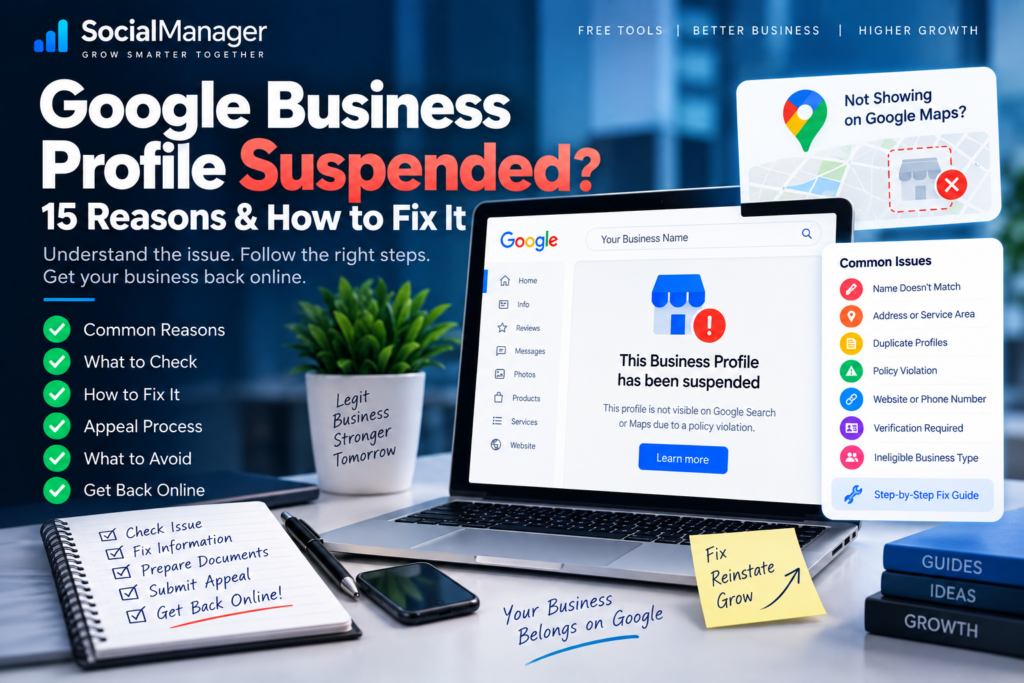
You open Google Search or Maps one morning to check your business.
Something is wrong.
Your profile isn’t behaving normally. Perhaps customers can no longer find it, Google is showing a restriction, or you’re being asked to take action.
If your Google Business Profile suspended problem appeared shortly after you edited your address, business name, category, website, phone number, or another important field, it’s natural to assume that the edit caused everything.
Sometimes a recent change may indeed be relevant.
But don’t immediately change everything back, create another profile, or submit an appeal without understanding the problem.
A Google Business Profile suspension can be particularly painful for a local business because customers may depend on Google Search and Maps to find your phone number, directions, reviews, website, and other information.
The right response is not panic.
It is:
Identify → Verify → Correct → Document → Appeal
In this guide, we’ll examine common reasons a Google Business Profile suspended situation may occur, what you should check first, what you should avoid doing, and how Google’s appeal process works.
Most importantly, we’ll separate Google’s actual policies from the myths that often circulate around Business Profile suspensions.
What Does Google Business Profile Suspended Mean?
A suspension or restriction means you shouldn’t treat the problem as an ordinary local SEO ranking issue.
For example:
“My business ranks #8 instead of #3”
is an SEO visibility problem.
But:
“My Business Profile has been restricted/suspended”
requires a policy and profile-status investigation.
Google says it may restrict Business Profiles and Google Accounts that don’t follow its policies. Depending on the issue, restrictions can affect the profile or the account associated with it.
That’s why trying to “SEO optimize” your way out of a suspension is the wrong approach.
First solve the policy or verification problem.
Then worry about rankings.
Google Business Profile Suspended After an Edit: Did the Edit Cause It?
This is one of the first questions business owners ask.
You may have changed:
- business name
- address
- phone number
- website
- primary category
- service area
- business hours
- other profile information
Then shortly afterward you discover your Google Business Profile suspended.
It is tempting to conclude:
“Google suspended me because I edited my website URL.”
Be careful with that conclusion.
Timing alone doesn’t prove the exact reason.
The important question is whether your profile, including the newly changed information, complies with Google’s Business Profile guidelines and accurately represents the real business.
Instead of making several more changes, inspect the profile carefully.
15 Reasons to Check When Your Google Business Profile Is Suspended
There may be different causes depending on the business and restriction. The following aren’t a claim that every suspension comes from one of these exact situations.
They’re the areas I would investigate systematically.
1. Your Business Name Doesn’t Match the Real Business
Start with the business name.
Google’s guidelines say your Business Profile name should reflect the business’s real-world name as used consistently on your storefront, website, stationery and as known to customers. Adding unnecessary information to the name isn’t permitted and can result in suspension.
Imagine the real business name is:
ABC Interiors
But the profile says:
ABC Interiors – Best Interior Designer Wallpaper Shop False Ceiling Bangalore
That might look like SEO optimization.
But you’re no longer simply representing the business name.
If your Google Business Profile suspended after editing the name, compare the profile name with the genuine real-world business identity.
Don’t ask:
“Which keywords should I add?”
Ask:
“What is the actual business called?”
Use that.
2. Your Address Doesn’t Accurately Represent the Business
Address issues deserve careful attention.
Google has specific rules for how businesses represent locations.
If customers visit your location, the address needs to represent a legitimate business location appropriately.
If you don’t serve customers at your business address, your configuration may need to reflect a service-area business instead.
Google’s guidelines specifically distinguish storefront businesses, service-area businesses and hybrid businesses.
Don’t use an address merely because you want to rank in that city.
Your Business Profile should represent how the business actually operates.
3. You’re Using a Virtual Office or Ineligible Location
This is another area where local SEO shortcuts can become risky.
Google’s guidelines place restrictions on virtual offices and coworking spaces. A virtual office generally isn’t eligible unless it meets Google’s requirements, and coworking locations have specific conditions for eligibility.
So if the address exists mainly to create a presence in a desirable location, investigate this carefully.
Don’t try to “make the address look real” for Google.
Determine whether the location genuinely qualifies.
4. Your Service-Area Business Is Configured Incorrectly
A plumber, electrician, cleaning company, mobile repair service, contractor or other business may travel to customers rather than serve them at a storefront.
Google provides specific guidance for service-area businesses.
If you don’t serve customers at your business address, Google says you should remove the address from the Business Profile and list the service area instead.
A common mistake is displaying an address purely because the owner believes it will improve Google Maps ranking.
Accuracy should come first.
If your Google Business Profile suspended involves address or service-area changes, verify that the setup reflects the way customers actually interact with your business.
5. You’ve Created Multiple Profiles for the Same Business
Creating another profile can seem like an easy solution when the original profile has problems.
It can make matters worse.
Google’s guidelines generally state that there should only be one profile per business, subject to specific legitimate circumstances such as qualifying departments or practitioners.
Don’t create:
ABC Interiors Bangalore
then:
ABC Interiors Whitefield
then:
ABC Interiors HSR Layout
simply because you want to rank in three places when they all represent the same underlying business without qualifying separate locations.
A duplicate isn’t a replacement for proper local SEO.
6. Your Business Isn’t Eligible for a Business Profile
Not every activity qualifies for Google Business Profile.
Google’s eligibility rules are based around businesses making in-person contact with customers during stated hours, with certain exceptions and specific categories handled differently. Google also lists examples of businesses that are not eligible.
If you’re facing a Google Business Profile suspension, confirm eligibility instead of assuming every website or online business automatically qualifies.
A Business Profile isn’t simply a free listing available to every online project.
7. A Major Profile Change Needs Verification
Sometimes the problem isn’t “SEO” at all.
Google may require verification or re-verification to confirm that the person managing the profile is authorized and that the business information is legitimate.
Google’s verification methods can vary by business and may include video recording, phone/text, email, live video call, or mail depending on what Google makes available for the particular profile. You cannot necessarily choose every method yourself.
If Google asks you to verify again, follow the available verification process rather than looking for a workaround.
8. Your Business Category Doesn’t Represent the Actual Business
Categories are important for local visibility, but they’re not keyword tags.
Your category should describe what the business is, not every product or service it offers.
Google recommends using as few categories as necessary to describe the core business.
Don’t repeatedly switch categories merely to chase different keywords.
If your main business genuinely changes, update the profile accurately.
But don’t make category changes just because a competitor ranks for a term you want.
9. Your Website and Business Profile Tell Different Stories
Suppose the Business Profile says:
XYZ Plumbing Services
but the website appears to represent:
XYZ Digital Marketing
Or the profile shows one location while the website strongly presents a completely different one.
That kind of inconsistency deserves investigation.
Google expects Business Profiles to accurately represent the business.
Your website doesn’t need to repeat every Business Profile field word-for-word, but the overall identity should make sense.
If your Google Business Profile suspended shortly after a website change, inspect whether the destination URL represents the same real business and location appropriately.
10. Your Phone Number or Website Isn’t Appropriate for the Business
Contact details should connect customers to the actual business.
Google’s guidelines state that the provided phone number should connect to the individual business location or otherwise appropriately represent the business, and the website should represent the individual business location.
Avoid manipulating contact information purely for rankings or lead-routing schemes that misrepresent the underlying business.
If you changed your phone number or website before the Google Business Profile suspension, verify that the new information genuinely belongs to and represents the business.
11. Your Profile Contains Misleading Information
The principle behind many Business Profile rules is surprisingly simple:
Represent the real business accurately.
Problems arise when a profile is optimized so aggressively that it starts describing the business the owner wants Google to see rather than the business customers actually encounter.
That can involve:
- misleading names
- misleading addresses
- inaccurate categories
- fake locations
- information that doesn’t represent the actual business
Google’s restrictions policies specifically prohibit deceptive content and behavior, including misleading representations.
Don’t build a profile around what you think the algorithm wants.
Build it around reality.
12. Someone Managing Your Profile Made Risky Changes
Business owners aren’t always the only people with access to a profile.
You may have:
- employees
- marketing agencies
- SEO freelancers
- previous staff
- business partners
If your Google Business Profile suspended unexpectedly, review who has access and what was changed.
Don’t assume an SEO agency followed Google’s policies simply because they call themselves an expert.
Ask exactly what they modified.
Pay particular attention to business name, address, categories and duplicate listings.
13. Your Google Account May Be Restricted
Sometimes the issue can extend beyond an individual Business Profile.
Google says account-level restrictions can occur, and when an account is restricted, Business Profiles associated with that account may also be suspended.
This distinction matters.
If multiple profiles connected to the same account suddenly have problems, don’t diagnose each one as an independent local SEO failure.
Investigate the account-level status as well.
14. You Fixed the Profile but Submitted a Weak Appeal
Correcting the issue and proving the business is legitimate are related but separate tasks.
Google provides an appeals process for eligible Business Profile restrictions.
Depending on the case, supporting evidence may help establish that the business is legitimate. Google’s appeal guidance gives examples such as official business registration, business licenses, tax certificates and utility bills.
The evidence should make sense for your business and should support the information you’re asking Google to accept.
Don’t submit random screenshots simply to increase the number of attachments.
Strong evidence is better than lots of irrelevant evidence.
15. You’re Making More Changes While Trying to Fix the Suspension
This is where panic can make troubleshooting difficult.
Business name changed.
Then category changed.
Then address changed.
Then website changed.
Then service areas changed.
Then another profile created.
Now you no longer know which information is correct.
When a Google Business Profile suspended issue appears, resist the urge to randomly experiment.
Instead:
Stop.
Review the restriction.
Read the applicable guidelines.
Compare the profile with the real business.
Correct genuine violations or inaccuracies.
Collect appropriate evidence.
Then use the proper appeal process.
What Should You Do Immediately After a Google Business Profile Suspension?
Use a controlled process.
Step 1: Read the Notification Carefully
Don’t assume the reason.
Look at what Google is actually telling you.
Check the Business Profile interface and relevant emails associated with the account.
Determine whether you’re dealing with:
- profile suspension
- account restriction
- verification requirement
- another Business Profile issue
That distinction changes what you should do next.
Step 2: Don’t Create a New Profile
This deserves emphasis.
If your existing Google Business Profile suspended, creating a duplicate profile is not a clean reset.
Google’s appeal guidance specifically warns against creating a new Business Profile for the same business while an appeal is under review.
Work on the legitimate existing profile and the actual underlying issue.
Step 3: Audit Your Business Name
Compare the profile name against:
- storefront signage
- official documents
- website
- invoices
- branding used with customers
Remove unnecessary keyword stuffing if it isn’t part of the genuine business name.
Step 4: Audit the Address
Ask:
Do customers actually visit this location?
If yes, does the location meet Google’s requirements?
If no, should the business be configured as a service-area business with the address hidden?
Don’t base the answer on which configuration you think ranks better.
Base it on how the business operates.
Step 5: Check Your Business Category
Does the primary category accurately describe the main business?
Don’t select a category solely because it has an attractive keyword.
Accuracy matters.
Step 6: Check Your Website and Phone Number
Make sure they represent the same business.
Look for old domains, wrong phone numbers, redirects to unrelated businesses, outdated locations or other inconsistencies.
Step 7: Check for Duplicate Profiles
Search Google Maps for:
- business name
- phone number
- address
Look for old or duplicate listings.
Don’t automatically delete something without understanding what it is, but identify duplicates before proceeding.
Documents to Prepare for a Google Business Profile Appeal
The exact evidence needed depends on the situation.
Google’s appeals documentation says supporting evidence can include items such as:
- official business registration
- business license
- tax certificate
- utility bills such as electricity, phone, water or internet
Google also notes that the business name and address on evidence should match the profile you’re appealing where applicable.
That matching detail is important.
If your Business Profile says one thing while your legitimate documentation says something completely different, investigate why before submitting.
Don’t alter documents.
Don’t manufacture proof.
Use genuine business evidence.
How to Appeal a Suspended Google Business Profile
Once you’ve reviewed the policies and corrected genuine problems, use Google’s official Business Profile appeals process.
Google Business Profile appeals guidance
Google’s appeal instructions direct eligible users through the Business Profile appeals tool, where they can select the affected business and review the relevant restriction.
The general process is:
1. Sign in with the Google Account associated with the Business Profile.
2. Open the Business Profile appeals tool.
3. Select the affected business.
4. Review the restriction and available appeal option.
5. Prepare supporting evidence where appropriate.
6. Explain the situation accurately and concisely.
7. Submit the appeal.
Don’t turn your appeal into an SEO sales pitch.
The objective is to demonstrate that the business is legitimate and that its profile complies with Google’s policies.
What Should You Write in a Google Business Profile Appeal?
Keep it factual.
Explain:
Who the business is.
Where and how it operates.
What information was corrected, if applicable.
Why the profile now complies with Google’s guidelines.
What evidence supports the business information.
Avoid emotional statements such as:
“Google destroyed my business, please restore immediately.”
The frustration may be completely understandable, but it doesn’t help establish eligibility or compliance.
Likewise, don’t write:
“I promise I won’t do it again”
if you don’t know what policy issue occurred.
Stick to facts you can support.
What NOT to Do When Google Business Profile Is Suspended
If your Google Business Profile suspended, avoid making the situation more complicated.
Don’t:
- create a fake address
- buy a virtual address purely for Maps
- create duplicate profiles
- add keywords to the business name that aren’t genuinely part of it
- submit fake documents
- ask someone to manufacture proof
- repeatedly change important profile information
- create another listing while the appeal is being reviewed
- pay someone who guarantees reinstatement
- assume every suspension has the same cause
And don’t blindly copy someone else’s reinstatement strategy.
Their business model, location, documentation and violation may be completely different from yours.
Google Business Profile Suspended After Changing Address
Address changes deserve extra care because an address is fundamental to how a local business is represented.
If the Google Business Profile suspended after changing address, check whether:
- the new address is genuine;
- the business actually operates there;
- customers visit there if you’re displaying it as a storefront;
- the location meets Google’s eligibility requirements;
- your supporting documents correspond with the business information;
- you’re following the appropriate storefront/service-area rules.
Don’t change back to an old address simply because it previously ranked better if the business no longer operates there.
The goal is accurate representation.
Google Business Profile Suspended After Changing Business Name
This is another situation where you should inspect the exact change.
If you changed:
ABC Interiors
to:
ABC Interiors | Best Interior Designer | Wallpaper | False Ceiling | Bengaluru
ask yourself whether that second version is genuinely the business’s real-world name.
Google’s guidelines explicitly prohibit unnecessary information in business names.
The Business Profile name field isn’t a meta keywords box.
Use the actual business name.
Google Business Profile Suspended After Changing Website
Don’t automatically assume adding a new website URL is prohibited.
Instead, check the larger picture.
Does the website:
- belong to the same business?
- show the correct business identity?
- represent the correct location?
- provide legitimate contact information?
- redirect somewhere unexpected?
- represent a completely different business?
If your Google Business Profile suspended after a website edit, examine consistency rather than immediately removing the website altogether.
How Long Does a Google Business Profile Appeal Take?
This is an area where you should avoid promises.
Google’s appeal guidance provides the official process, but individual cases can differ. Don’t trust anyone who promises:
“Your profile will definitely be restored tomorrow.”
or:
“Pay me and I’ll guarantee reinstatement.”
No legitimate third party controls Google’s final decision.
Submit an accurate, well-supported appeal and monitor its status through the available Google process.
What If Your Google Business Profile Appeal Is Denied?
A rejected appeal doesn’t mean you should immediately create a new listing.
Read the decision carefully.
Review Google’s guidelines again.
Determine whether the profile still contains an eligibility or representation problem.
Google’s official appeal documentation also explains what options may be available after an appeal isn’t approved, depending on the case.
Use the official process rather than trying to bypass the restriction.
Google Business Profile Suspension vs Google Maps Ranking Problem
These two problems should never be confused.
Ranking problem
Your profile is live.
Customers can find it.
But competitors rank higher for important searches.
You work on:
- relevance
- prominence
- reviews
- website SEO
- business information
- local authority
Suspension problem
Your profile or account is restricted.
You work on:
- eligibility
- policy compliance
- accurate business representation
- verification
- evidence
- appeal
Trying to solve a suspension by adding more keywords is like trying to fix a locked shop by redesigning the window display.
Solve the access problem first.
Frequently Asked Questions About Google Business Profile Suspension
Why Was My Google Business Profile Suspended?
A Google Business Profile suspended situation can involve policy, eligibility, representation, account or verification issues. Review the actual notification and Google’s Business Profile guidelines rather than assuming the reason based only on timing.
Can Editing My Google Business Profile Cause Suspension?
A profile problem may appear around the time of an edit, particularly if changed information creates or exposes a compliance or verification issue. However, an edit occurring before a suspension doesn’t by itself prove the exact cause.
Review what changed and whether the resulting profile accurately represents the business.
Can I Create a New Profile After Suspension?
Don’t create a duplicate simply to bypass the problem. Google specifically advises against creating a new Business Profile for the same business while an appeal is being reviewed.
How Do I Recover a Suspended Google Business Profile?
Review Google’s guidelines, correct genuine profile issues, prepare appropriate supporting evidence, and use Google’s official Business Profile appeals process if your case is eligible.
What Documents Do I Need for a Google Business Profile Appeal?
Google lists examples such as business registration, business licenses, tax certificates and utility bills. The appropriate evidence depends on your case, and relevant information should correspond with the Business Profile.
Should I Change My Business Name After Suspension?
Only correct it if it’s inaccurate or violates Google’s naming guidelines. Don’t make arbitrary changes just because the profile is suspended.
Can Someone Guarantee Google Business Profile Reinstatement?
Be extremely cautious of guarantees. A third party cannot guarantee Google’s decision on an appeal.
Should I Keep Editing My Profile While Suspended?
Avoid random experimentation. Identify the actual problem, correct genuine inaccuracies or policy issues, collect evidence, and follow the appropriate appeal process.
Google Business Profile Suspended? Use This Checklist
Before submitting an appeal, ask:
Business name: Does it match the genuine real-world business name?
Address: Is it legitimate and represented correctly?
Customer visits: Do customers actually visit the displayed address?
Service area: Is the business configured appropriately?
Category: Does it accurately describe the core business?
Website: Does it represent the same business?
Phone: Does it connect appropriately to the business?
Duplicates: Are there multiple profiles representing the same business?
Eligibility: Does the business qualify for a Business Profile?
Account: Is there an account-level restriction?
Documents: Can you prove the business information legitimately?
Recent changes: What exactly changed before the problem appeared?
Policies: Have you checked Google’s current guidelines?
Evidence: Does your evidence match the profile information?
Appeal: Are you using Google’s official process?
If you can’t confidently answer these questions, investigate before submitting.
Final Thoughts: Fix the Business Profile Before You Appeal
A Google Business Profile suspended notification can be frightening, especially when Search and Maps generate calls, directions and leads for your business.
But random changes aren’t the answer.
Don’t start by asking:
“How can I trick Google into restoring my profile?”
Ask:
“Does my profile accurately represent my real business and comply with Google’s current rules?”
Check the business name.
Check the address.
Check how customers interact with the business.
Check the category.
Check the website.
Check the phone number.
Check duplicates.
Check eligibility.
Check account status.
Then gather genuine evidence.
If something is wrong, correct it.
If your profile is eligible for appeal, use Google’s official appeal process.
The safest approach to a Google Business Profile suspension isn’t finding a secret reinstatement trick.
It is making the profile accurate, legitimate, verifiable and policy-compliant.
So if you’re currently facing a Google Business Profile suspended problem, don’t make ten changes at once.
Identify the issue. Correct what is genuinely wrong. Document the real business. Submit the proper appeal.
That gives you a much stronger foundation than any suspension shortcut.